I want to generate a vibration signal with 30Hz frequency and 1mm amplitude for the RMC75E using LabVIEW. When I tried to generate this signal with the MOVE ABSOLUTE and MOVE ADDITIVECOMMAND, the maximum achievable frequency was only 4Hz. Additionally, when I attempted to generate the signal using SINE START, no signal was output.
Is it a sine wave you want? If so you can make a sine wave in the controller that oscillates at 30 Hz no problem with a virtual axis. Whether your cylinder can achieve this is up to how well the system was designed and how fast and accurate your valve is.
These types of tests are usually accomplished using adaptive control. If you search on that you will find an example program in the forum here.
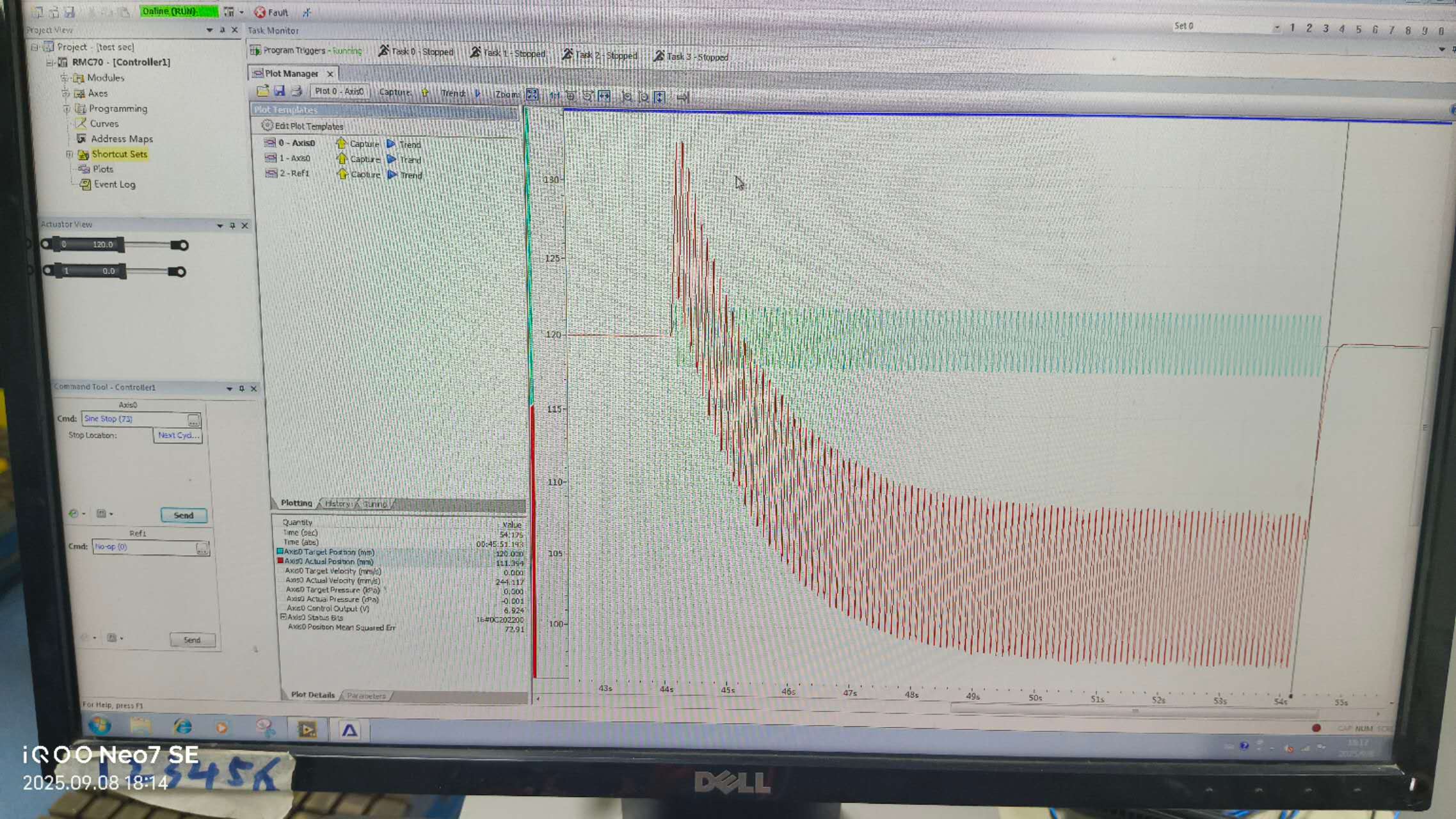
Thank you for your replay. I found the example and it generates sine wave well but a new problem has emerged. When I use the startsine function to generate a 30Hz sine signal, the output is normal, but the stroke of the axis is gradually decreasing. What could be the reason for this?
However, at the same time, the movement of another cylinder of the same model—controlled by another controller of the same model that is in the same system as this controller—is normal.